
Accounts

Every account, one view.

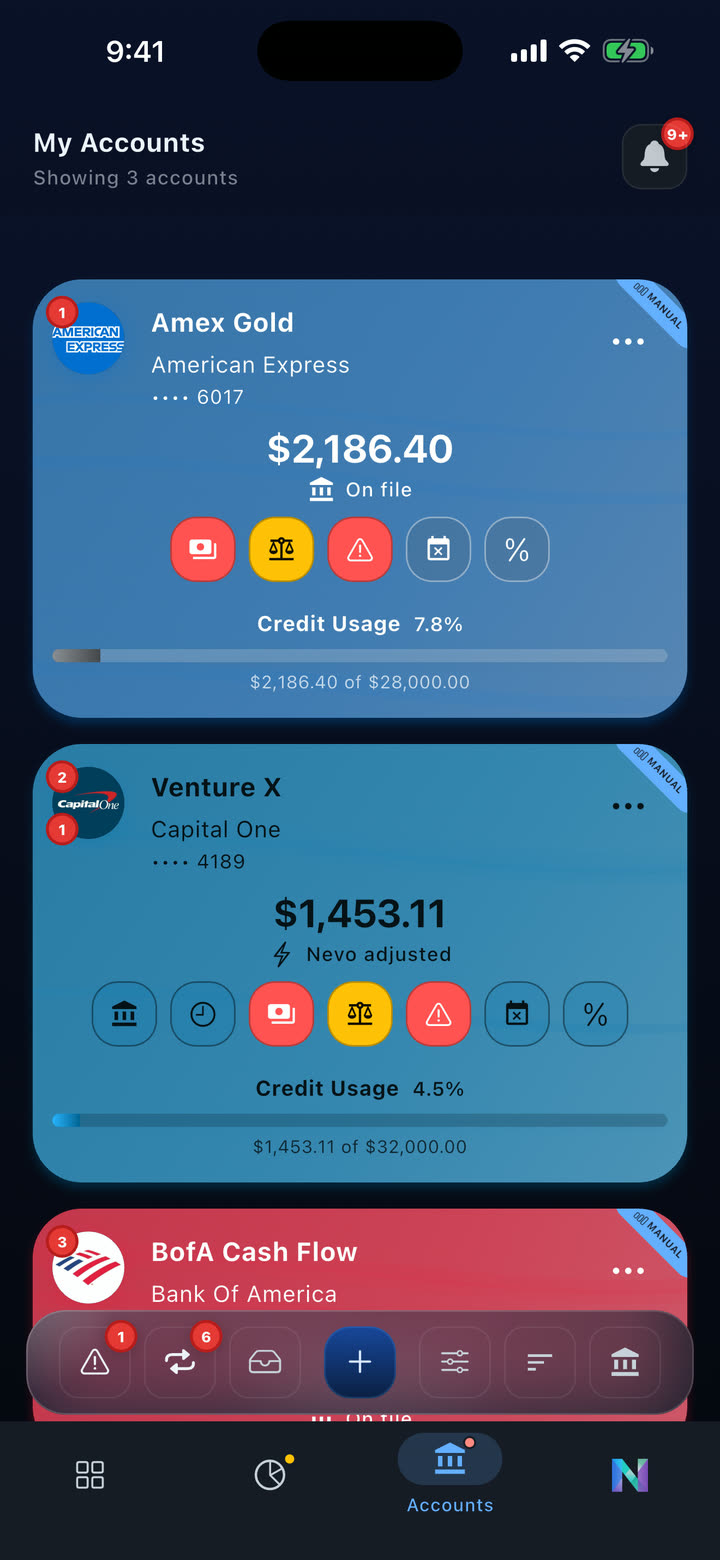
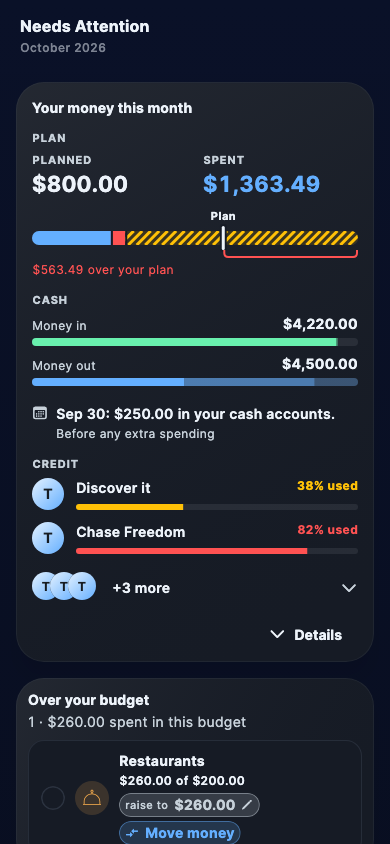
Three ways to add accounts: connect with Plaid, add manually, or import from a statement. Credit cards open to a control screen showing live balance, credit usage, projected vs. bank balance, pending charges raising debt, and scheduled payments lined up below.

  • Branded account hero cards with institution colors.
  • Plaid, manual entry, or statement-based import.
  • Credit usage and projected balance front and center on every card account.
  • Pending charges raise your debt the moment Plaid exposes them - often before your bank's own app updates.
Credit card account detail with credit usage, projected balance, pending charges, and scheduled payments

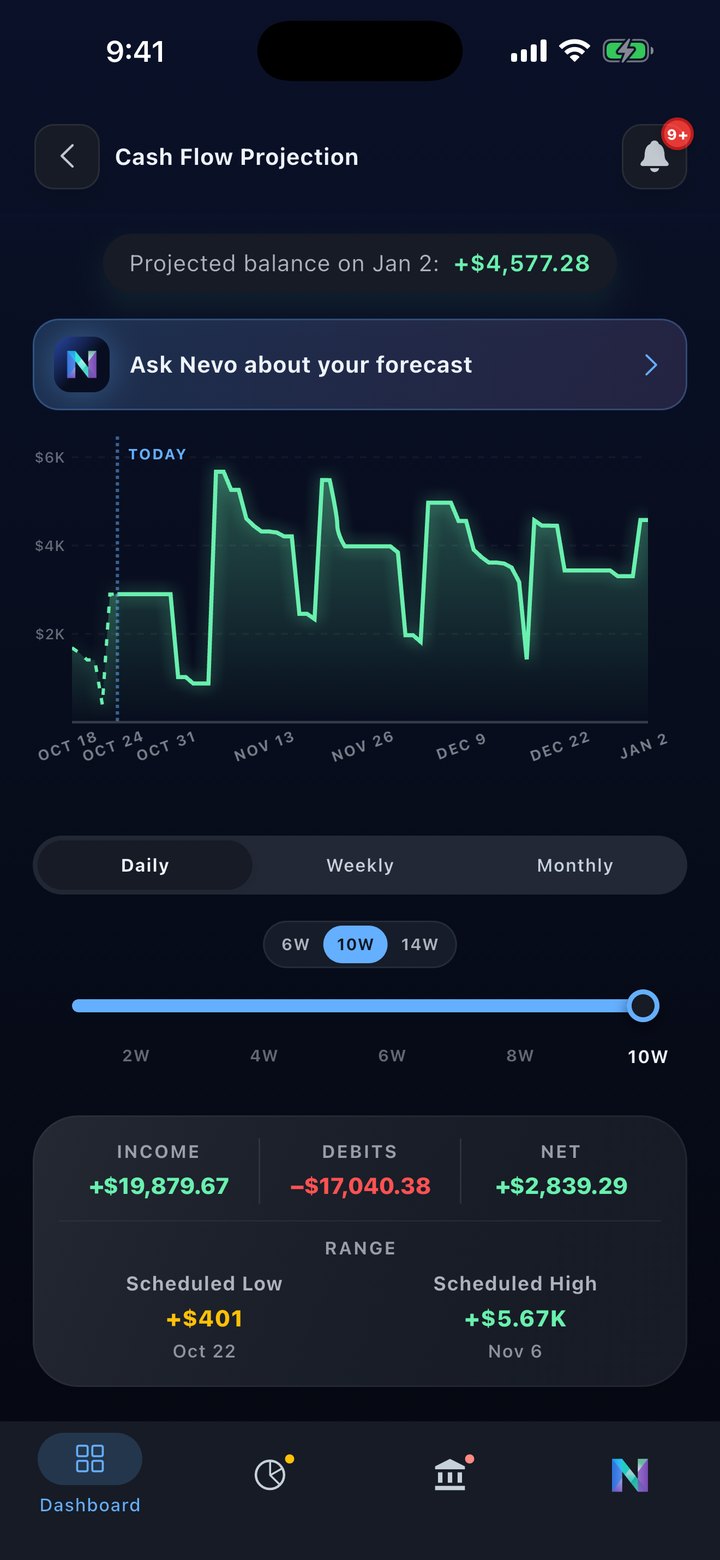
Cash Flow Forecast

See up to a year ahead.

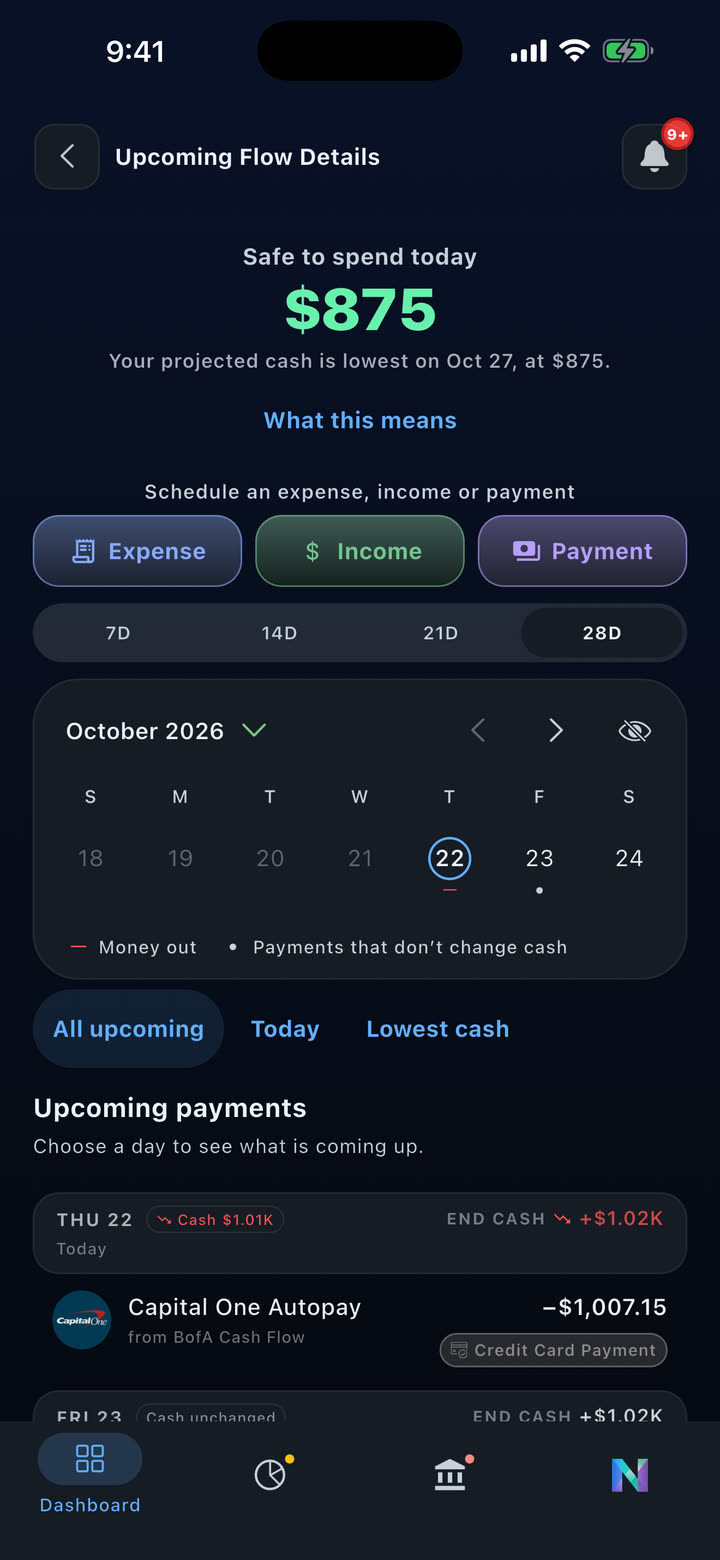
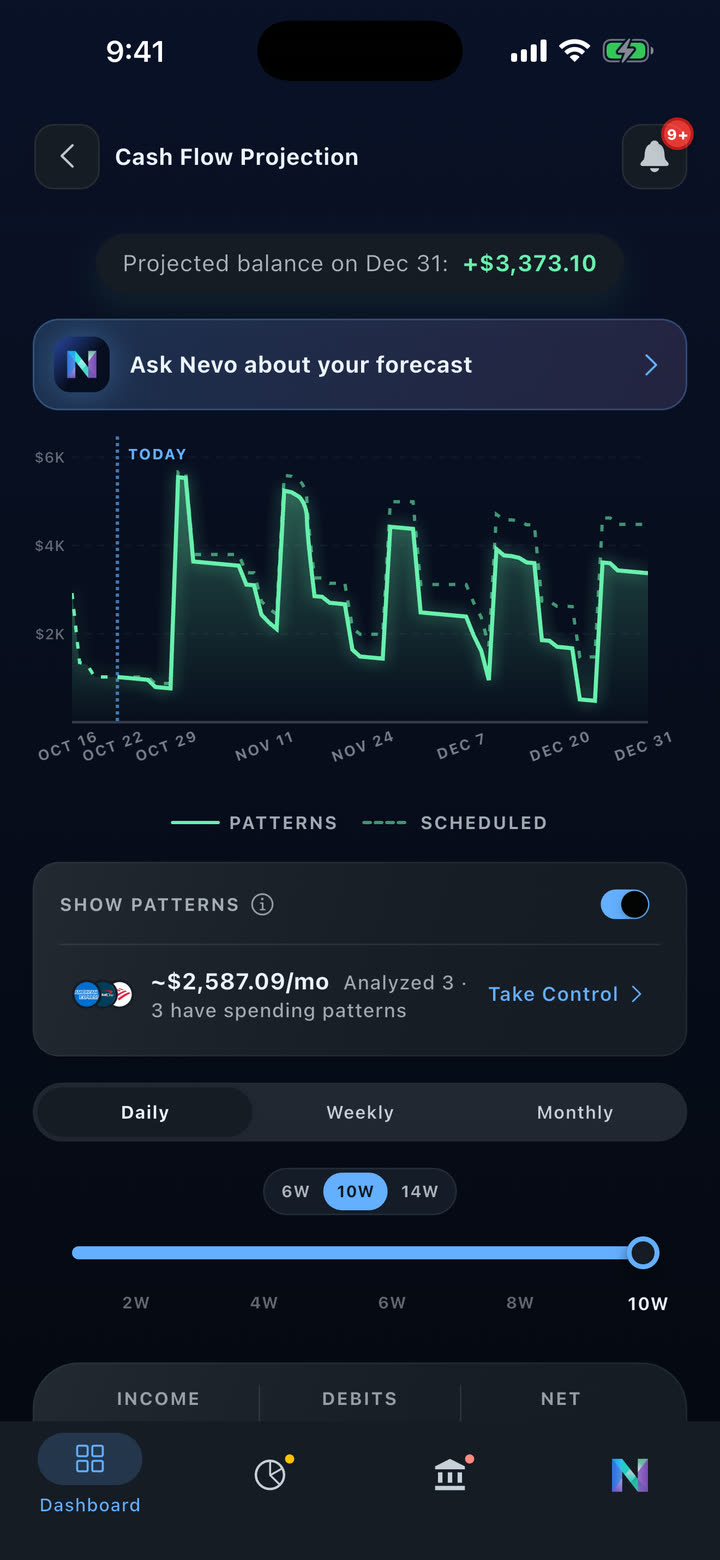
Nevo shows where your money is going. Daily view for 14 weeks. Weekly view for 52 weeks. Monthly view for 12 months. Every scheduled bill and paycheck projected forward, with a "Safe to spend today" amount that respects your tightest cash day.

  • Daily precision for 14 weeks. Weekly for 52. Monthly for 12.
  • "Safe to spend today" stays anchored to the tightest day in your 28-day window.
  • Spot low-balance days weeks or months before they arrive.
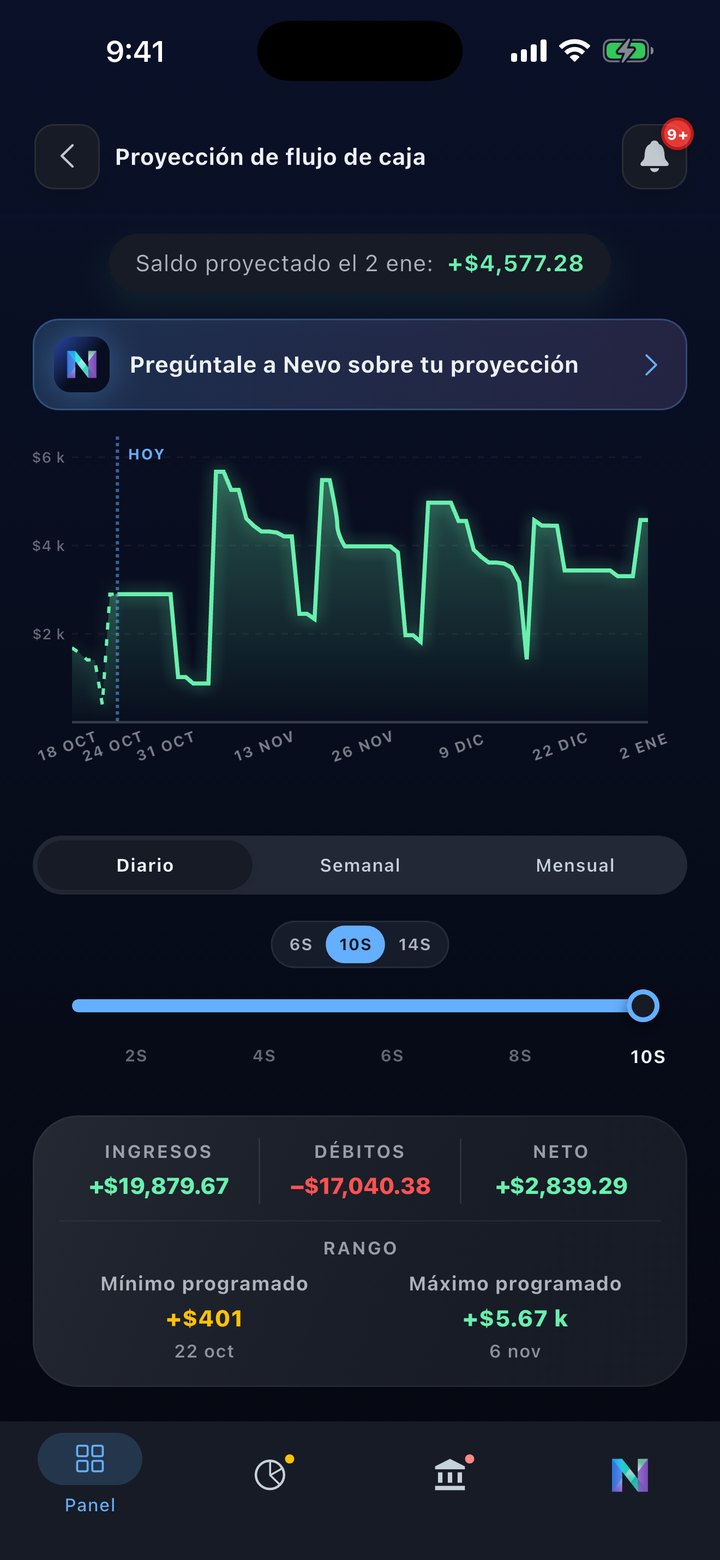
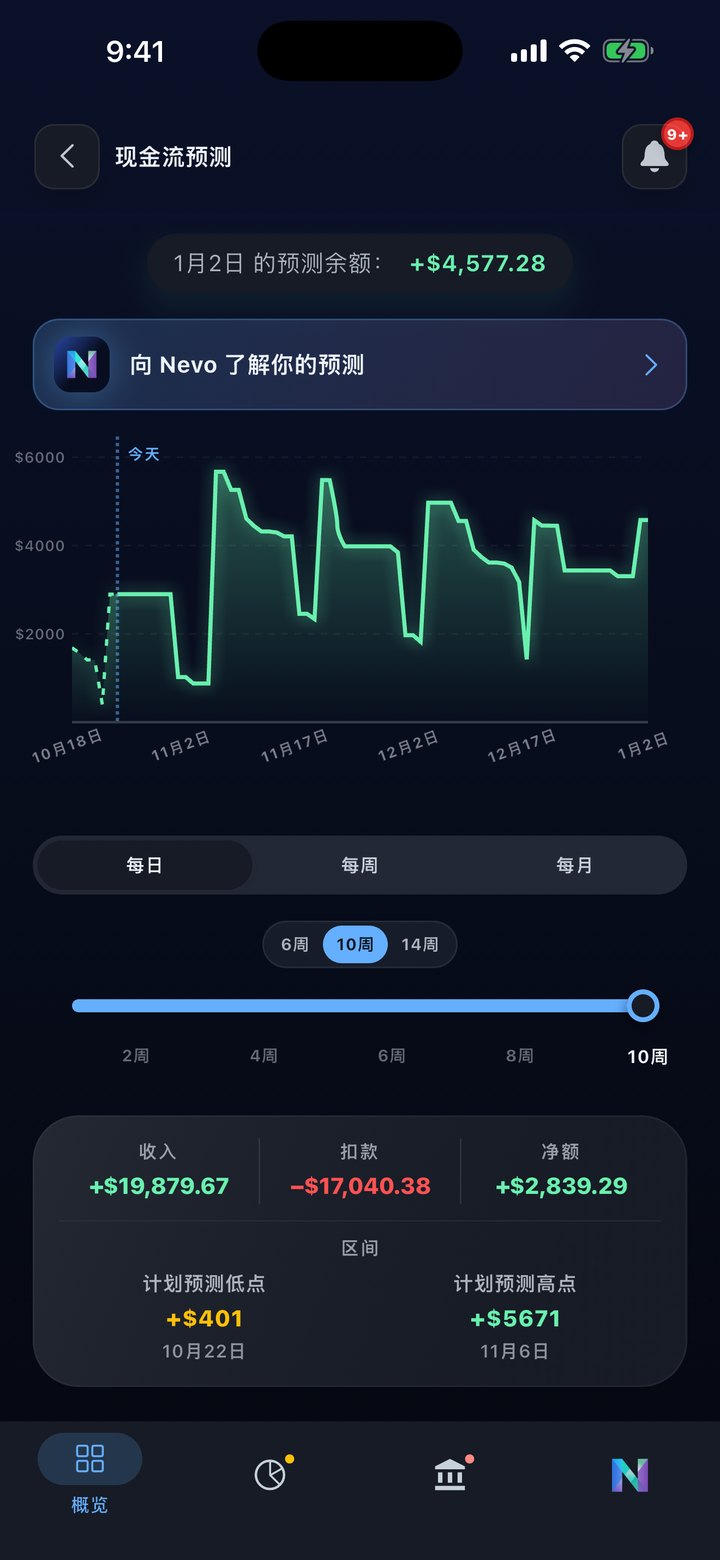
Cash flow projection with daily, weekly, and monthly views

Take Control

Your projection. Your call.

Forecasts only work if they match how you actually live. Take Control lets you mute accounts from the dashboard projection, exclude charges that won't repeat, and restore any exclusion from one place. Saves take effect in seconds and the chart updates without a restart.

  • Mute individual accounts from the dashboard projection and account-level forecasts.
  • "Mark as one-off" on any transaction stops it from shaping break-even math.
  • Items Kept Out of Break-Even lists every exclusion with a one-tap restore.
  • Decision saves update the projection chart in seconds, no restart required.
Take Control of Patterns entry point on the dashboard projection
Core differentiator

Scheduled Payments

The engine that drives the timeline.

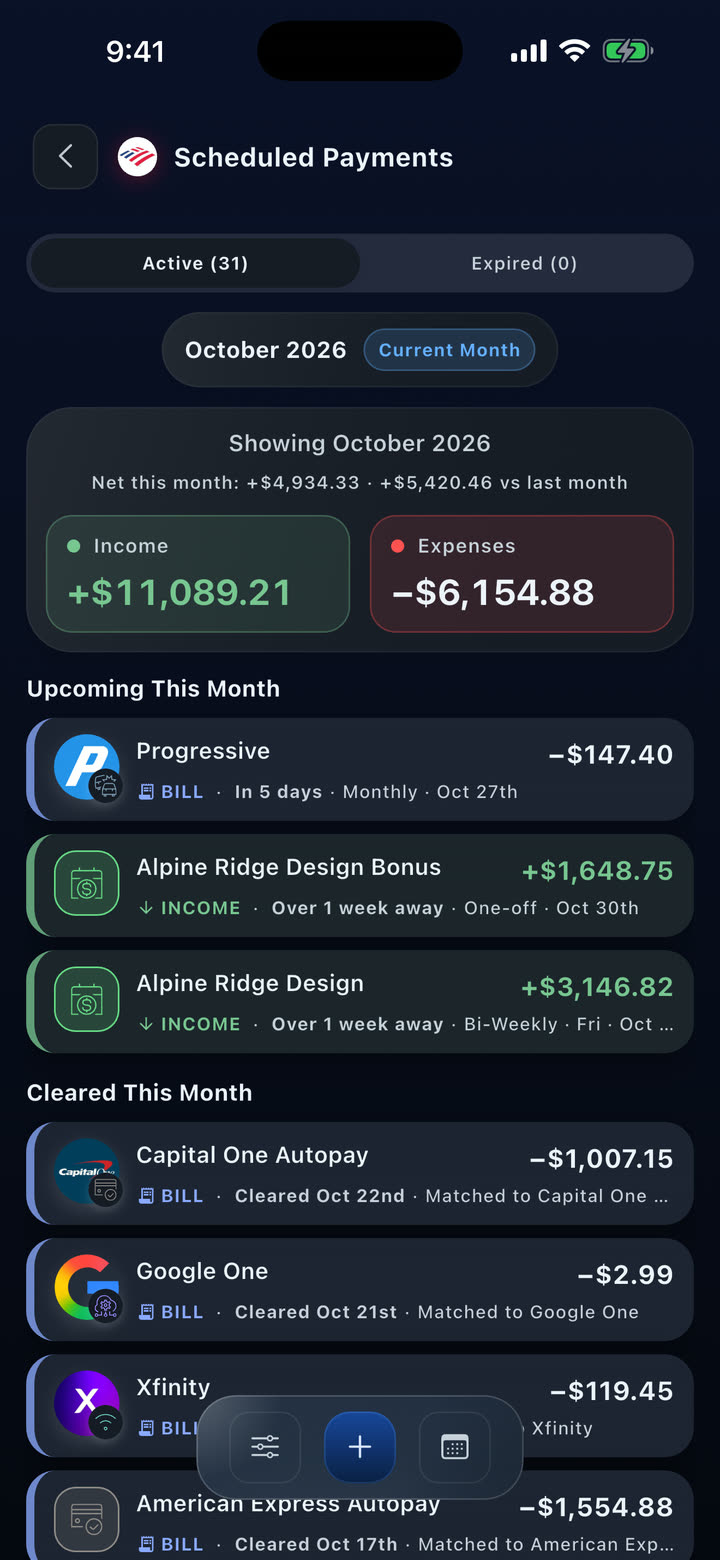
Scheduled Payments are the source of truth for cash-flow forecasting, spendable balance, debt timing, and the upcoming flow you actually live with. Move a payment and every downstream view updates with it.

  • 6 amount rules: fixed, minimum, statement balance, full balance, custom, and break-even.
  • Auto-reconciliation matches posted bank transactions to your schedules.
  • 7 lifecycle states track every payment from scheduled through cleared, expired, or missed.
  • Full provenance: every payment traces back to its source - Plaid, liability, or manual.
Upcoming flow details driven by Scheduled Payments - bills, income, transfers, and debt payments on a near-term timeline

From reminder list to payment engine

Reminder-only setup
  • A single amount field.
  • Manual matching after the bank transaction posts.
  • Basic states like upcoming, paid, and missed.
  • Limited source context.
  • Separate from cash flow and debt forecasting.
Nevo Money
  • Amount rules that express intent: "pay the minimum", "pay to break even", "pay the full statement".
  • Tiered auto-reconciliation with a match review workflow for ambiguous cases.
  • 7 states with plan-level freeze, pause, and ready controls.
  • Full provenance: Plaid recurring stream, liability schedule, or manual - always traceable.
  • Drives projections, break-even, debt management, budgets, and notifications. All of them.

Budgets

Know where the month is going.

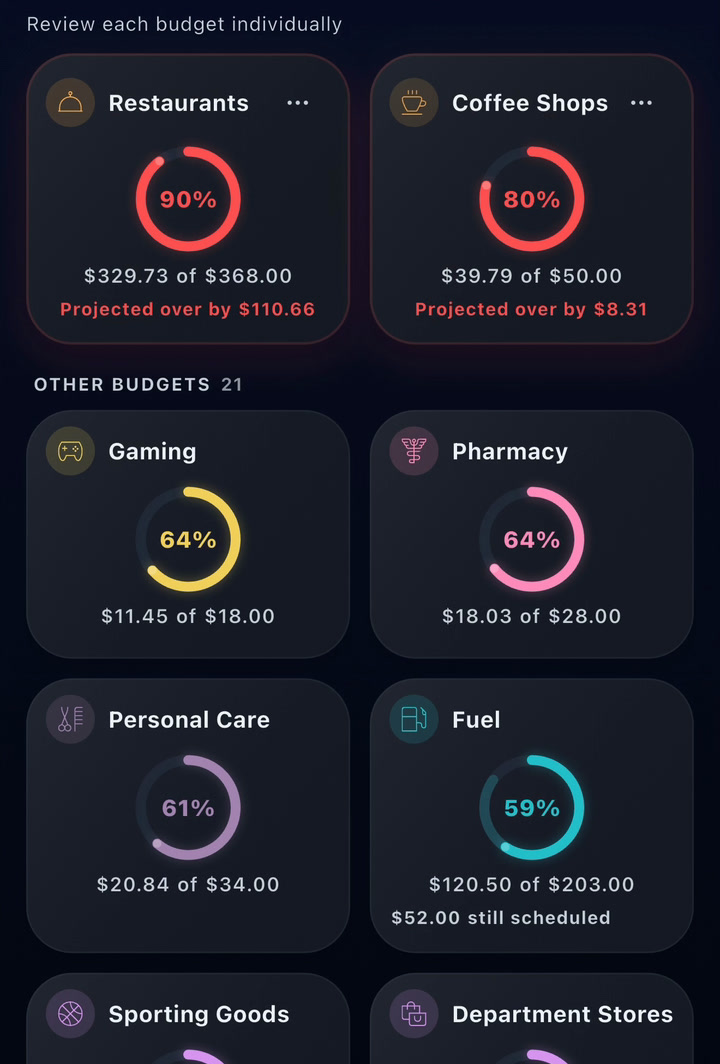
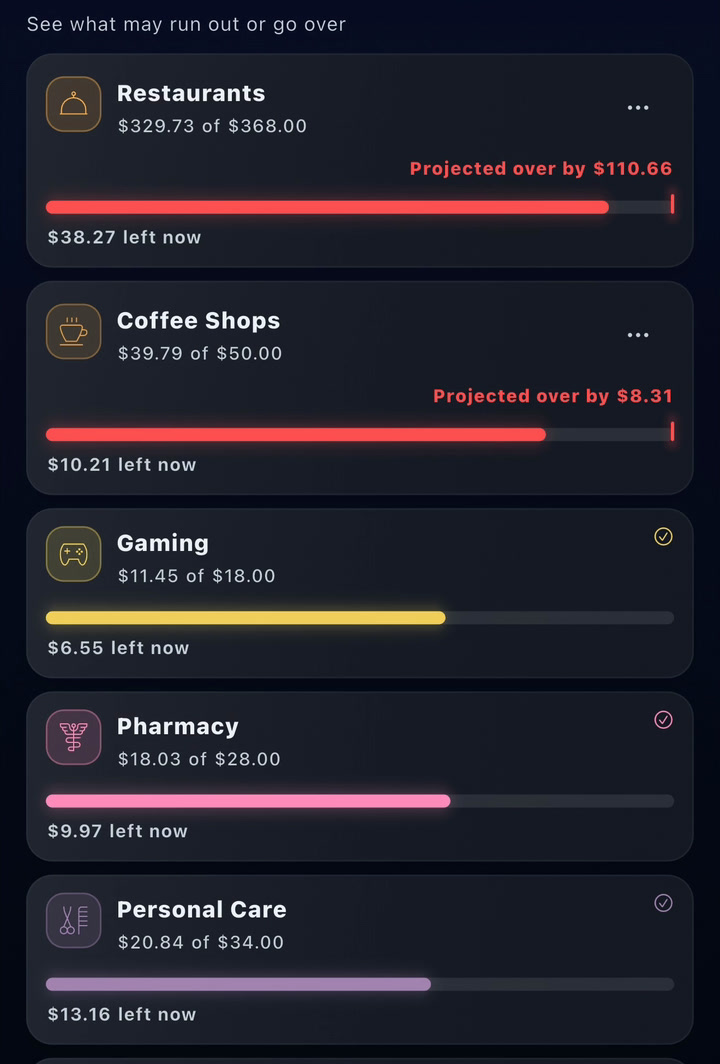
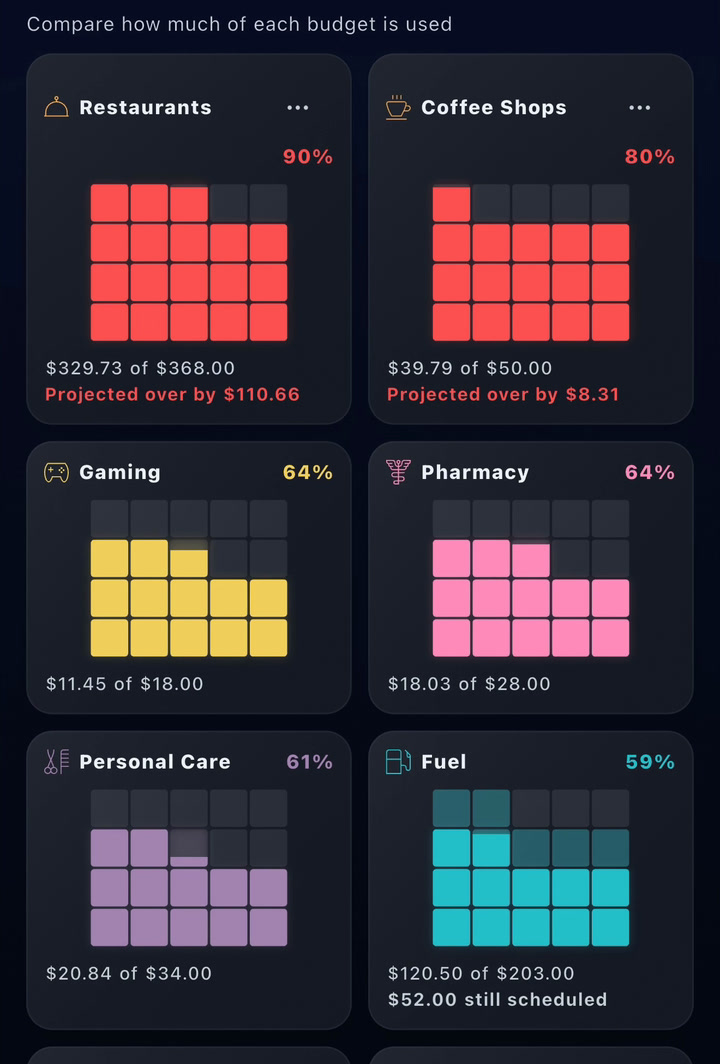
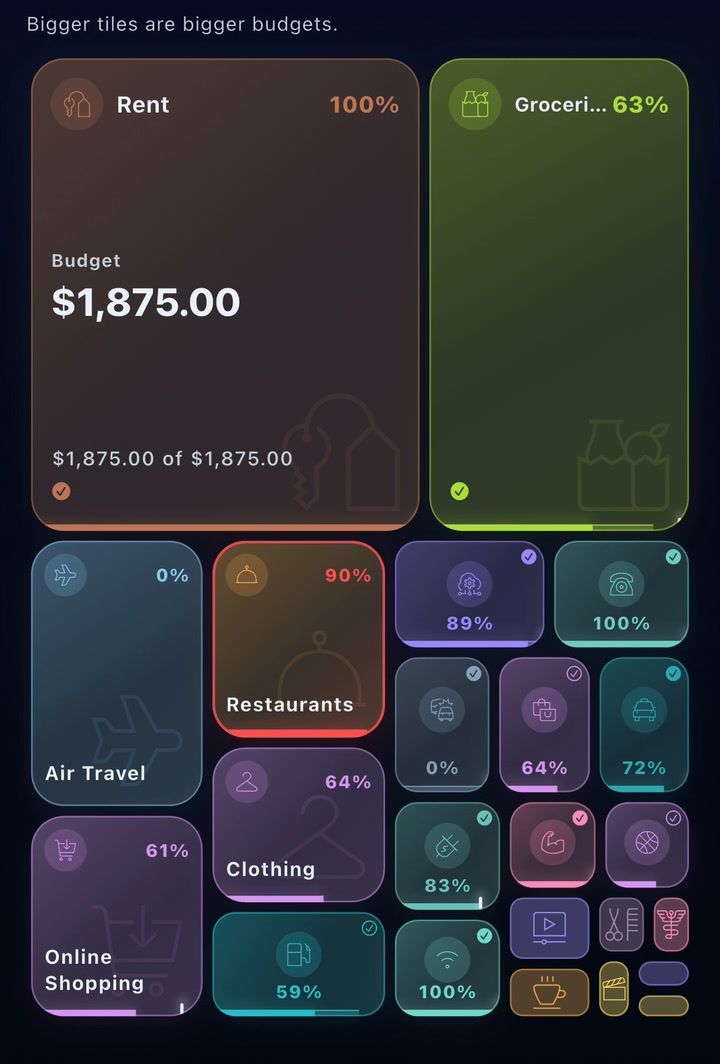
The Budgets overview shows your monthly plan, the forecast for where you will end the month, and category-by-category progress in one place. Tap any category to see what is driving spend.

  • Monthly budget total and live forecast for the month.
  • Category progress with clear over/under indicators.
  • Merchant context inside every category drill-down.
Budgets overview with monthly plan, forecast, and category progress
Core feature

Debt Management

A live debt plan, on the account it belongs to.

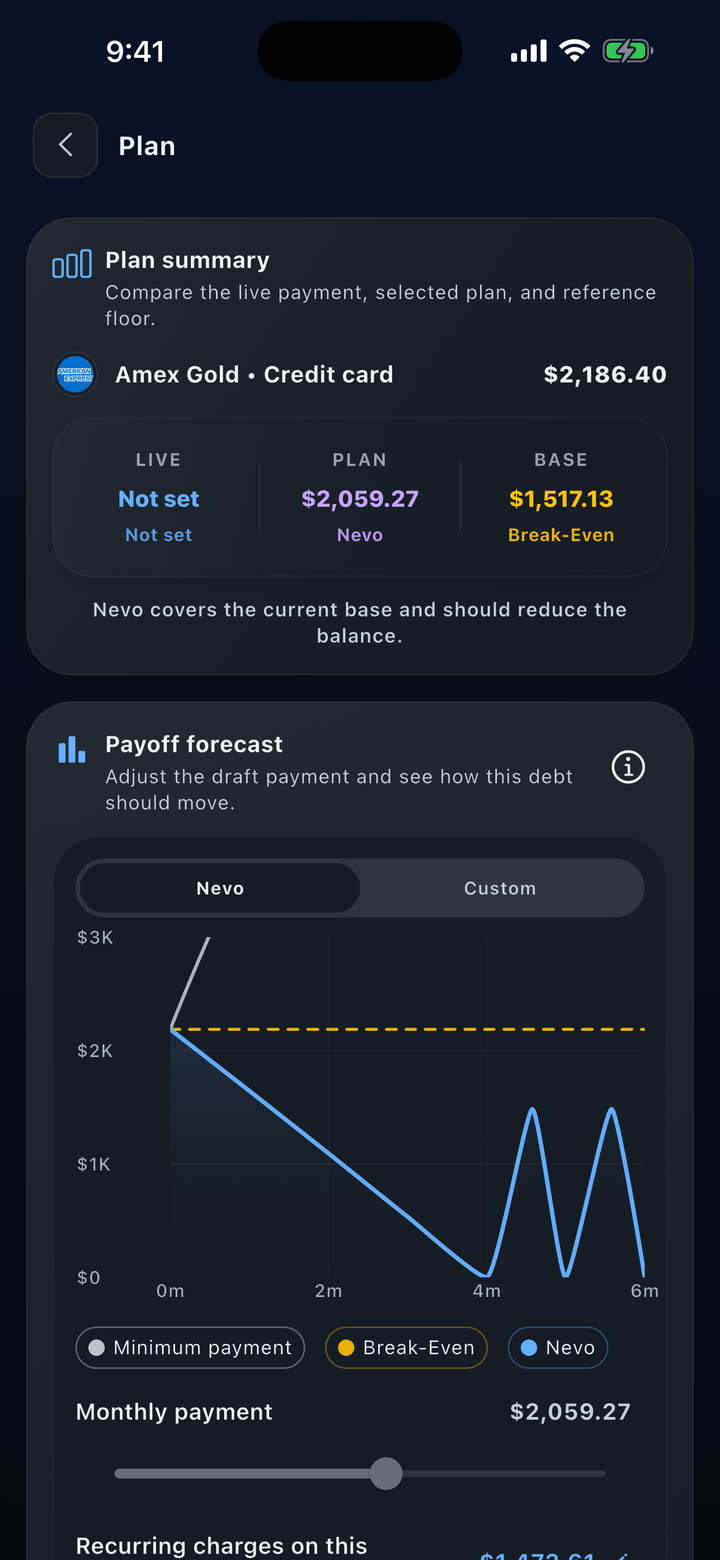
Core includes Debt Management for one debt account. Premium expands to portfolio planning.

  • Core unlocks Debt Management for one debt account. Premium expands to portfolio strategy.
  • Active plan stays explicit about payment, schedule, and what counts as on-track.
  • Plan adapts to account type, payment readiness, and monthly capacity.
Debt Management active plan with credit utilization, payment amount, due date, and fixed-payment status

A real example: estimated variable spending of $852 a month across 7 categories, projected interest of $166.92, target payment $1,023. Pay the minimum and the balance grows. Pay to break-even and it actually shrinks. Mark any charge as one-off and the math updates immediately - every exclusion is restorable from one place.

Break-Even Math powering the active plan

Statement Summaries

Turn a statement into clarity.

Each statement opens to a clean summary view: totals, spending by category, and a transaction summary. Use it to review the cycle, then export when you need to share or file it.

  • Totals, categories, and transaction summary in one view.
  • Easy export when you need to send or save the summary.
  • Clean dark-mode rendering on every statement, every cycle.
Statement summary with totals, categories, and transaction summary
Recognition at a glance

Merchant Detail

Remember the meal, not the memo line.

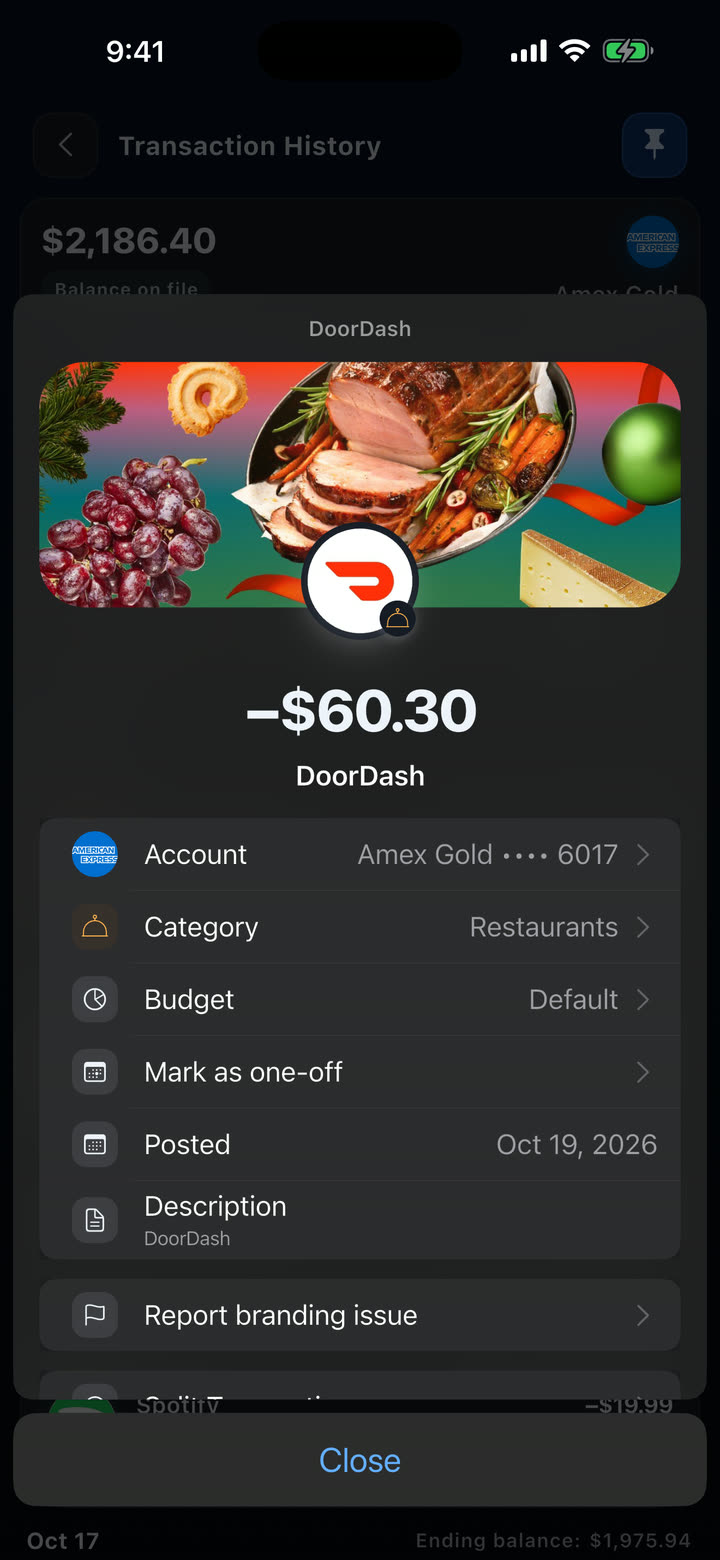
Open any transaction and you get the full picture: brand imagery, category, budget, posted date, balance, description, and location. Recognizable context replaces cryptic bank descriptors.

  • Brand imagery and merchant context on every transaction.
  • Category, budget, posted date, balance, and location in one view.
  • Branding sourced from Brandfetch and a growing brand library.
Branded transaction detail with category, budget, posted date, balance, description, and location

Authenticator Security

Protection that does not wait on a text message.

Nevo guides authenticator-app setup step by step, so sign-in protection does not depend on carrier delivery. Phone verification for SMS stays separate.

01

Start from Profile & Security

Turn on authenticator-app 2FA during onboarding or later from Profile & Security.

02

Copy the key or open your app

Nevo can open an installed authenticator app or give you a setup key to paste into one you already trust.

03

Confirm with one 6-digit code

Tap Done, enter the current authenticator code, and finish sign-in protection without coupling it to SMS delivery.

Verified phone status for SMS delivery is managed separately from sign-in security.

Nevo account view - authenticator-app 2FA and app lock are configured separately in Profile & Security

Get started

See the future of your money.

Download Nevo Money on the App Store and Google Play today.