Skip to content
Nevo Money
Features Pricing FAQ About Privacy Terms Get the App

Public Reviewer Page

SMS Consent Proof

Nevo Money Account Notifications is an in-app, transactional-only SMS program. This page shows the exact production opt-in flow used for A2P campaign review.

Privacy Policy Terms of Service

Nevo Money collects SMS consent only inside the logged-in Nevo Money mobile app. There is no public web form, keyword opt-in, verbal opt-in, paper opt-in, in-store opt-in, or QR-based opt-in for this program.

Program: Account Notifications Opt-in surface: Notification Center in the app Updated: April 14, 2026

On this page

  • Call to Action
  • Program overview
  • Exact opt-in steps
  • Exact in-app disclosure copy
  • User disclosures
  • Mobile information sharing
  • Supported transactional alerts
  • Reviewer screenshots

Call to Action

The call to action shown inside the Nevo Money mobile app, directly next to the SMS toggle in Notification Center, is:

“By turning on SMS, you agree to receive transactional Account Notifications from Nevo Money at the verified mobile number on file. Message frequency varies. Message and data rates may apply. Consent is not a condition of purchase. Reply STOP to opt out or HELP for help.”

This CTA is presented only after the user has signed in, added a mobile number in Profile & Security, and completed one-time phone verification by SMS. The SMS channel is off by default. Enabling SMS is a separate, explicit action inside the app.

Program overview

SMS is optional and is off by default. A user must first add a phone number in Profile & Security, complete one-time phone verification by SMS, open Notification Center, review the SMS disclosure block, and then manually turn on the SMS channel.

SMS is used only for transactional account notifications. It is not used for unrelated promotional marketing. Users can reply STOP to opt out, reply HELP for help, or turn SMS off inside the app at any time.

Exact opt-in steps

  1. The user signs in to Nevo Money and opens Profile & Security.
  2. The user adds a mobile number and completes the one-time phone verification flow sent by SMS.
  3. After verification, the user opens Notification Center. SMS remains off by default.
  4. The user reads the SMS disclosure block and manually turns on the SMS channel to opt in.

Exact in-app disclosure copy

The following text is displayed verbatim inside the Nevo Money app, directly below the SMS toggle in Notification Center. It is visible both before and after the user opts in.

“SMS delivers transactional account notifications only. Message frequency varies. Message and data rates may apply. Consent is not a condition of purchase. Reply STOP to opt out or HELP for help.”

Links to the Privacy Policy and Terms of Service are shown in the same disclosure block.

User disclosures shown in the app

  • Phone verification only makes SMS available. It does not enable SMS by itself.
  • Transactional alerts only.
  • Message frequency varies.
  • Message and data rates may apply.
  • Consent is not a condition of purchase.
  • Reply STOP to opt out.
  • Reply HELP for help.
  • Users can review the public Privacy Policy and Terms of Service from the app disclosure block.

Mobile information sharing

No mobile information will be shared with third parties or affiliates for marketing or promotional purposes. Information sharing to subcontractors in support services, such as customer service, is permitted. All other categories exclude text messaging originator opt-in data and consent; this information will not be shared with any third parties.

The full policy is available in the Notifications and SMS Delivery section of the Nevo Money Privacy Policy.

Supported transactional alerts

Linked-account issues

Connection revoked, reconnect required, or login required for a linked institution.

Scheduled payments

Upcoming payment reminders and schedule-related account updates.

Cash alerts

Income received and negative cash balance alerts.

Liability minimum alerts

Missing or low minimum-payment coverage for tracked liabilities.

Month-end status updates

Budget month-end ready and month-ended notifications.

Reviewer screenshots

The screenshots below are current English captures of the live in-app flow used to collect consent for this SMS program.


Nevo Money Profile and Security screen with a phone number present and the Phone for SMS delivery row visible.
1. Profile & Security The user has a mobile number on file and can start the dedicated phone verification flow used only for SMS delivery.
Nevo Money phone verification sheet prompting the user to enter the code sent to a masked phone number.
2. One-time phone verification Nevo sends a code to the masked phone number so the user can verify the device before SMS becomes available.
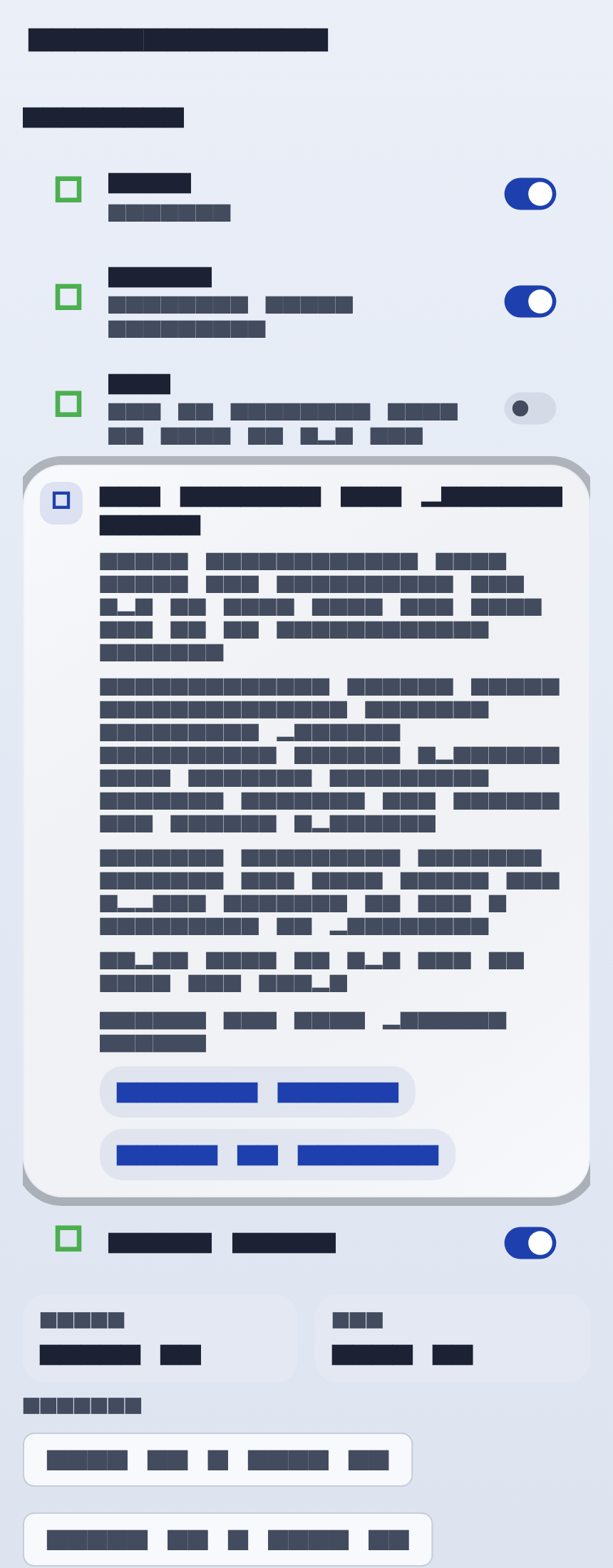
Nevo Money Notification Center with SMS available but off, including the SMS consent and program terms disclosure card.
3. SMS available but still off After verification, the SMS row stays off by default and the disclosure block explains that turning the toggle on is the separate opt-in step.
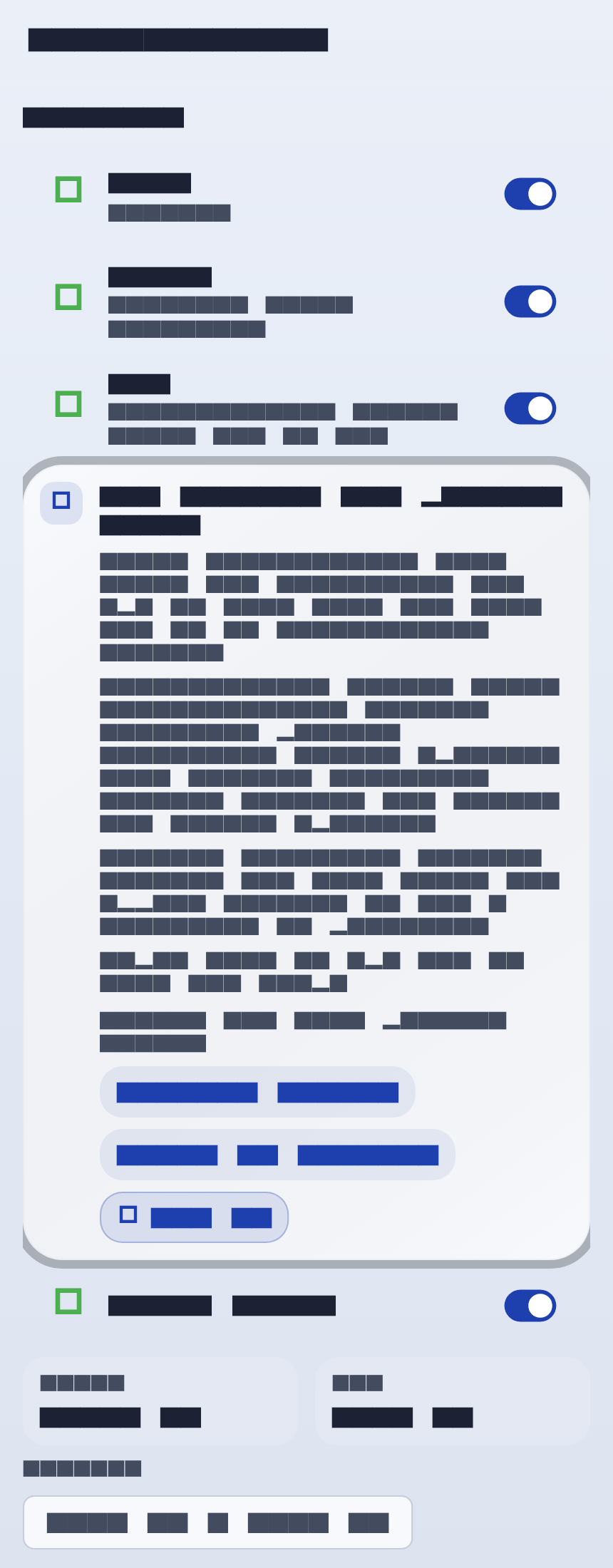
Nevo Money Notification Center with SMS enabled and the SMS consent and program terms disclosure card still visible.
4. SMS enabled The same disclosure remains visible after the user opts in so the transactional scope, HELP and STOP behavior, and legal links stay clear.
Nevo Money
Features Pricing FAQ About Contact Privacy Terms
© Nevo Money. All rights reserved.